
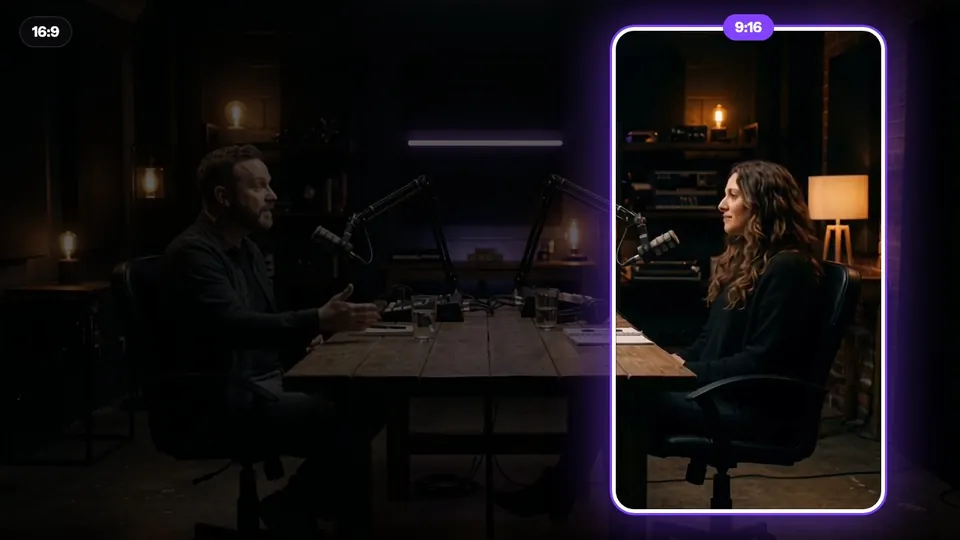
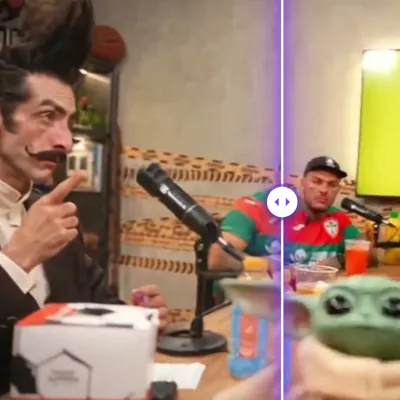
Reframe: Horizontal to vertical, following the speaker.
Horizontal to vertical, with the camera following the speaker.
Who it's for
The conversation in vertical, with the speaker in frame.
The horizontal stream ready for phones.
Automatic framing, no keyframes.
The same format for several channels.
How it works
Three steps. You see the cost before generating.
- 1Horizontal video
Podcast, stream, class.
- 2Format
Choose the vertical format.
- 3Vertical
With the speaker in frame.
What you can do
The camera tracks the face.
Ready for TikTok, Reels and Shorts.
The rest of the video stays as is.
About Reframe
Reframe is one of the 51 tools in Viral.Day, in the Clips and editing category. To use it, just sign in; when there is a cost in credits, it is shown before you confirm.
Reframe turns a horizontal video (16:9) into a vertical one (9:16) while keeping the speaker in frame: the camera follows the face instead of just cropping the center. The result comes out in phone format, ready for TikTok, Reels and Shorts.
It works for podcasts, live streams, classes and any landscape recording. Only the framing changes: the rest of the video stays as it is.
Frequently asked questions
- Does Reframe cut the video into pieces?
- No. It only changes the framing of the video. To get clips out of a long video, use the Clips app.
- Which kind of video works best?
- Horizontal videos with people talking, such as podcasts, live streams and classes.
More apps
Similar ones and the most used.


Ready to try Reframe?
Horizontal to vertical, with the camera following the speaker.