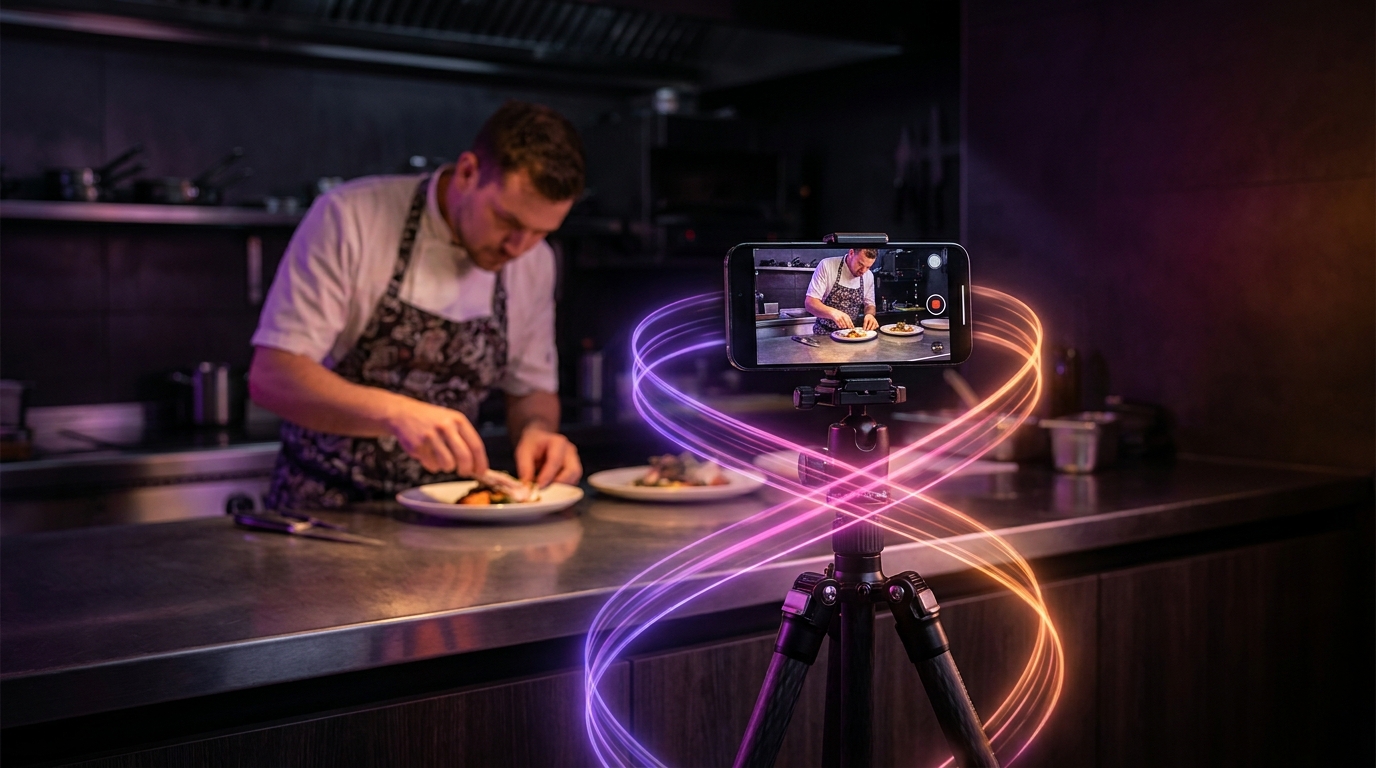
Local businesses—such as restaurants, gyms, and salons—can generate a full month of short-form social media content by recording a single 30-minute video and using AI tools to extract clips. Instead of struggling to film daily updates, owners can implement a four-week content pilot: record one primary session, use artificial intelligence to identify the most engaging moments, format them for vertical screens, and schedule the resulting Reels and Shorts. This workflow turns a single time investment into a consistent daily presence that drives local foot traffic and client inquiries.
Week 1: Capturing the Source Material
The biggest barrier to entry for local business marketing is the time required to create content. The AI clipping workflow eliminates this by relying on long-form source material. You do not need a professional studio or a dedicated camera crew. A modern smartphone mounted on a tripod is sufficient.
To generate effective AI clips for a local business, the source video needs conversational, informative, or visually engaging material. The goal is to record continuously for 30 to 45 minutes without worrying about mistakes, pauses, or perfect delivery.
For restaurants, sit down with the head chef or owner during off-hours. Discuss the history of the menu, the sourcing of local ingredients, or the technique behind a signature dish. This single conversation provides the narrative backbone for short form video for restaurants.
For fitness centers, set up a camera during a group class or sit down with a trainer to debunk common fitness myths. If you need inspiration on how fitness professionals structure these talks, reviewing how coaches and course creators use viral clips to generate leads can help you format your gym marketing reels AI strategy. Salons can follow a similar approach by recording a stylist explaining hair care routines or demonstrating a complex coloring technique from start to finish.
Week 2: AI Processing and Bulk Editing
Once the long-form video is recorded, the next step is processing the footage. Manually scanning a 45-minute video to find 30-second highlights is tedious and requires specialized editing software. AI clipping tools automate this phase by analyzing the transcript and visual changes to identify standalone segments.
Upload your source video to an AI clipping platform. The software will generate a transcript and search for complete thoughts, natural hooks, and engaging statements. It then automatically cuts these sections into individual clips.
During this phase, AI tools also handle the technical cleanup. For example, some platforms offer features like Magic Cut to automatically detect and remove awkward silences, filler words, and retakes from the footage. This ensures the final clips are punchy and retain viewer attention. Additionally, the AI will reframe horizontal video into the 9:16 vertical format required by TikTok, Instagram Reels, and YouTube Shorts, keeping the speaker centered in the frame.
By automating the extraction and formatting, you can generate 15 to 20 polished clips in minutes. For businesses managing multiple locations or high content volumes, bulk editing with AI allows you to apply your brand colors, fonts, and logos to all clips simultaneously, ensuring brand consistency across your entire content library without hiring a freelance editor.
Week 3: Local Optimization and Distribution
Having a folder full of formatted clips is only half the strategy; they must be optimized for local discovery. When posting AI clips for a local business, the objective is not global virality, but reaching potential customers within a 10-mile radius.
Before publishing, ensure every clip has accurate, on-screen captions. AI tools generate these automatically, making your videos accessible to the large percentage of users who scroll social media with the sound off.
When writing the caption for the social media platform, include specific local identifiers. Mention your neighborhood, city, and nearby landmarks. Use location tags on Instagram and TikTok so the platforms know where to distribute your content geographically.
Furthermore, consider how your video content integrates with your broader local search presence. Keeping your business information accurate across platforms and utilizing Google's business management tools ensures that when a local resident discovers your Reel and searches for your restaurant or gym, your hours, location, and contact information are immediately accessible.
To maintain quality control before your videos go live, run through a standard viral clip checklist to verify that the hook is strong, the captions are legible, and the call-to-action clearly directs viewers to visit your physical location or book an appointment online.
Week 4: Measuring Local Business Metrics
In the final week of the pilot, focus on analyzing the data. Local businesses often fall into the trap of measuring success by total views. However, a video with 100,000 views from users in another country provides less business value than a video with 500 views from local residents who actually visit your storefront.
Shift your focus to conversion metrics. Monitor profile visits, clicks on your website link, and requests for directions. Track the volume of direct messages asking about pricing, operating hours, or booking availability. For restaurants, cross-reference the days you post specific dish highlights with the sales data for those items.
Review which types of clips performed best. Did the gym audience prefer the myth-busting videos or the workout demonstrations? Did the salon audience engage more with product recommendations or before-and-after transformations? Use this data to inform the topic of your next long-form recording session, creating a continuous feedback loop that improves your content month over month.
Automating the Process with Viral Day
For local business owners ready to implement this strategy, Viral Day provides a streamlined AI clipping platform designed to handle the entire workflow. With an entry plan starting at $9.99/month, users receive 30 hours of video processing and can upload source videos up to 10 hours in length.
The platform utilizes AI-assisted clip selection, analyzing footage across 18 viral-potential signals to find the best moments. It features Prisma multimodal AI auto reframing to perfectly format videos for 9:16 vertical screens, alongside automatic captions and bulk editing capabilities. You can export your final clips in 1080p, or utilize optional 4K local exports, ensuring your local business maintains a professional, high-quality appearance on every social feed.